Students & Parents (CRM)
Keep students, parents and siblings together in one family record, track important communication and send mass emails and SMS.
Student management & registration module helps you track and manage all the information about students. Students can be linked with multiple parents/guardians and parents can be linked with multiple children. This allows to keep the sales/activity history of the whole family together.
Second part of the CRM module is communication tracking and email/SMS blast tool. Email/SMS integration is used to send out reminders (e.g. payment reminders, renewal reminders), alerts (e.g. course start alert, package expiry alert, birthday promotions etc.) as well as ad hoc marketing communication.
Student Profile
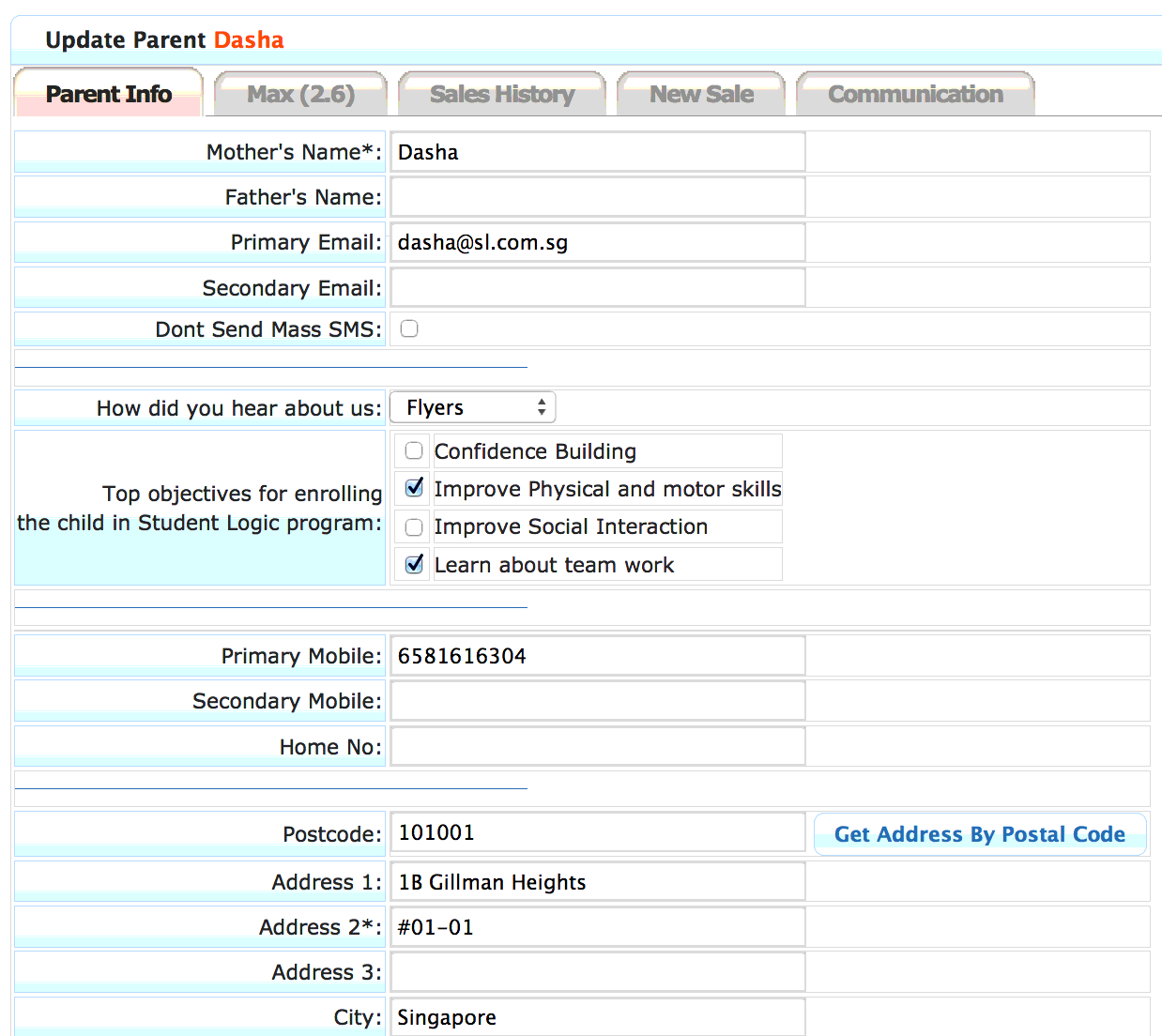
Name, birthday, address, objectives for joining the course, signup source, etc
Parents/Guardians information
Multiple parents/guardians information, family history, siblings
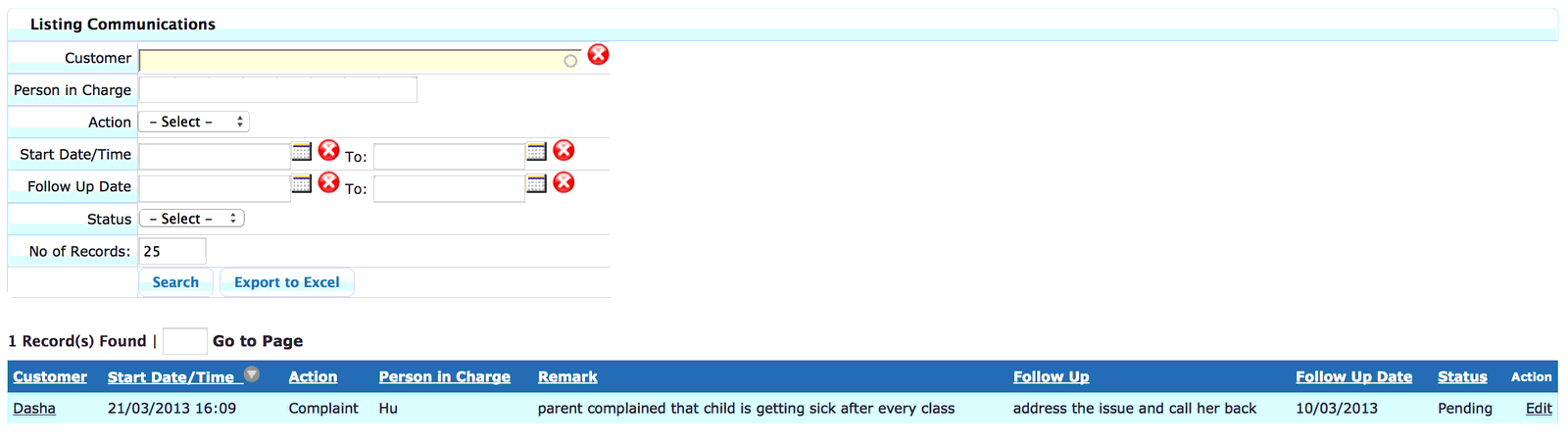
Communication tracking
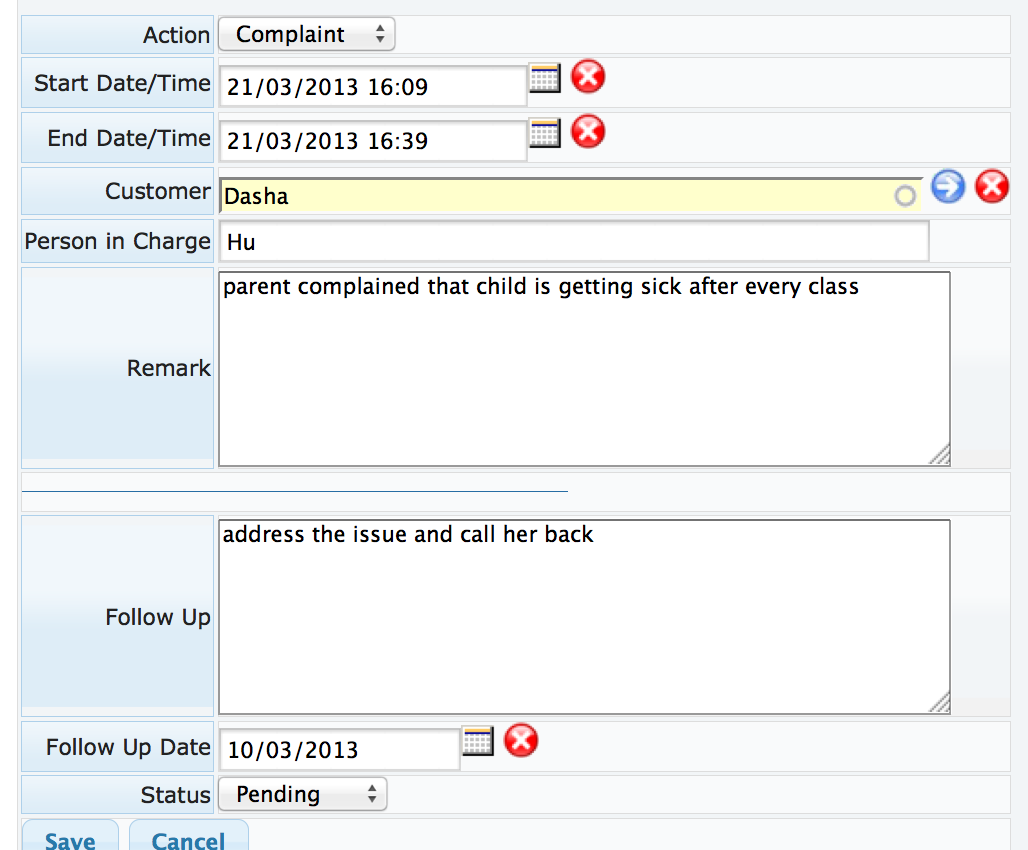
Track any major/important communication between school and parents or students for future reference
Mass Emails
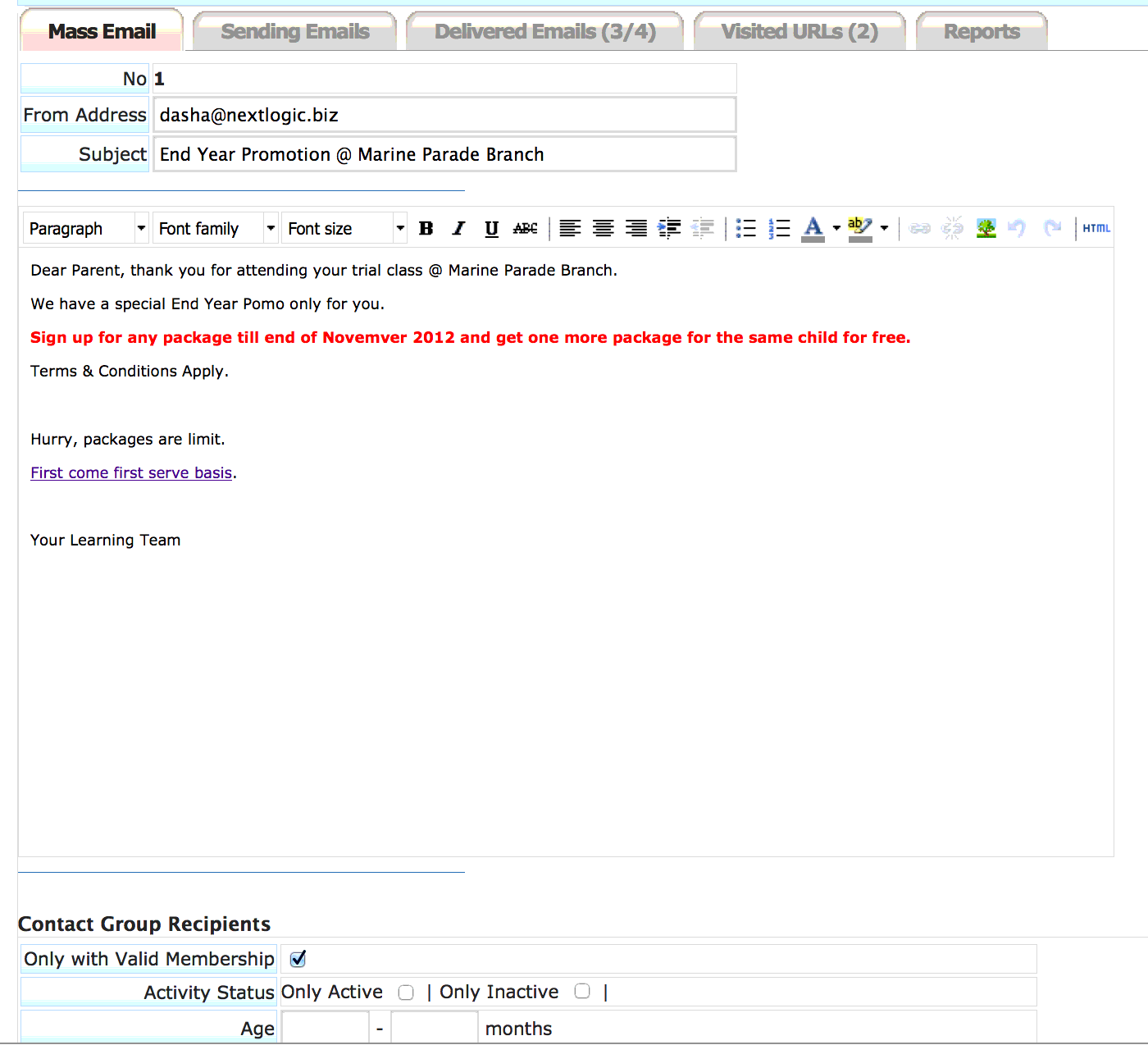
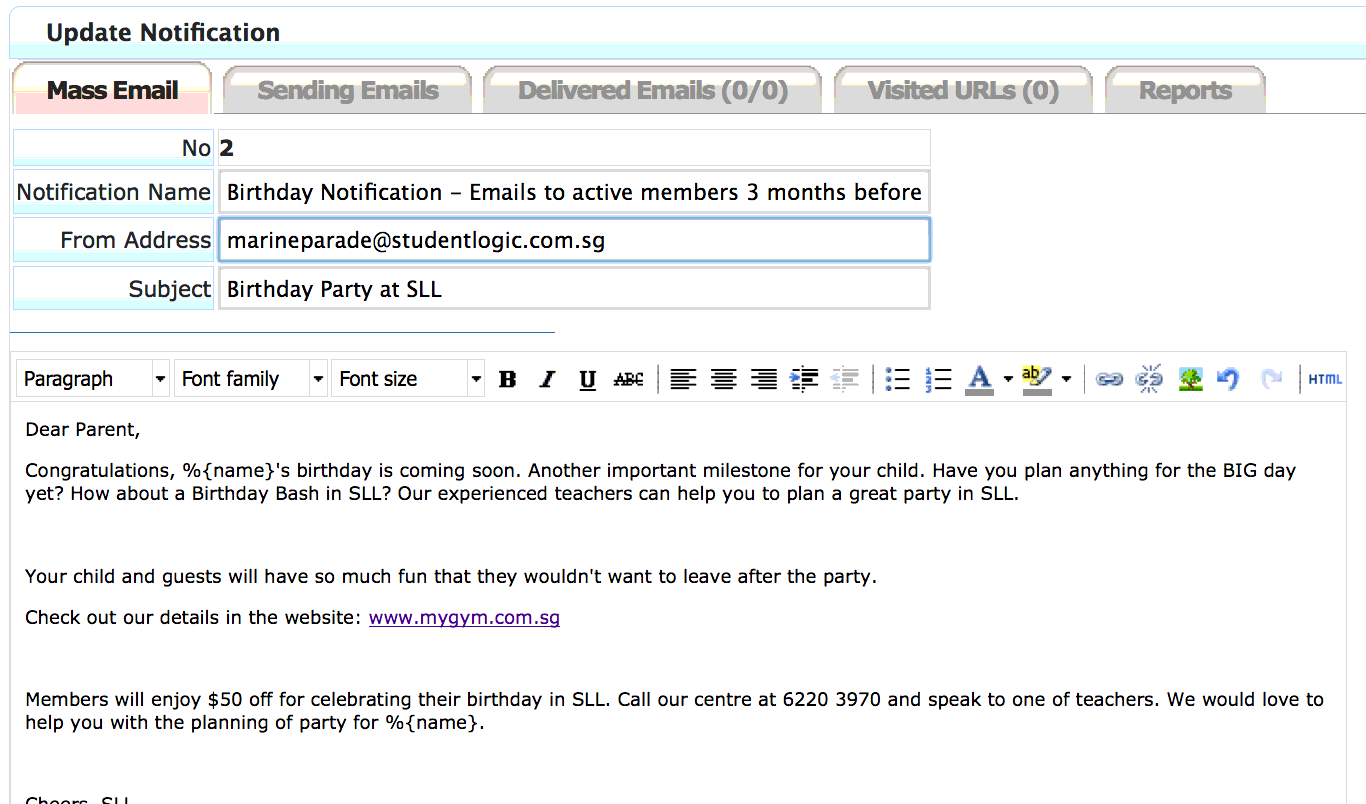
Communication tool to be used to blast important message via email to members (e-newsletter, promotions, etc.) or auto emails blasted out as reminders/alerts (birthday email, course expiry reminder, renewal reminder, etc.)
Mass SMS
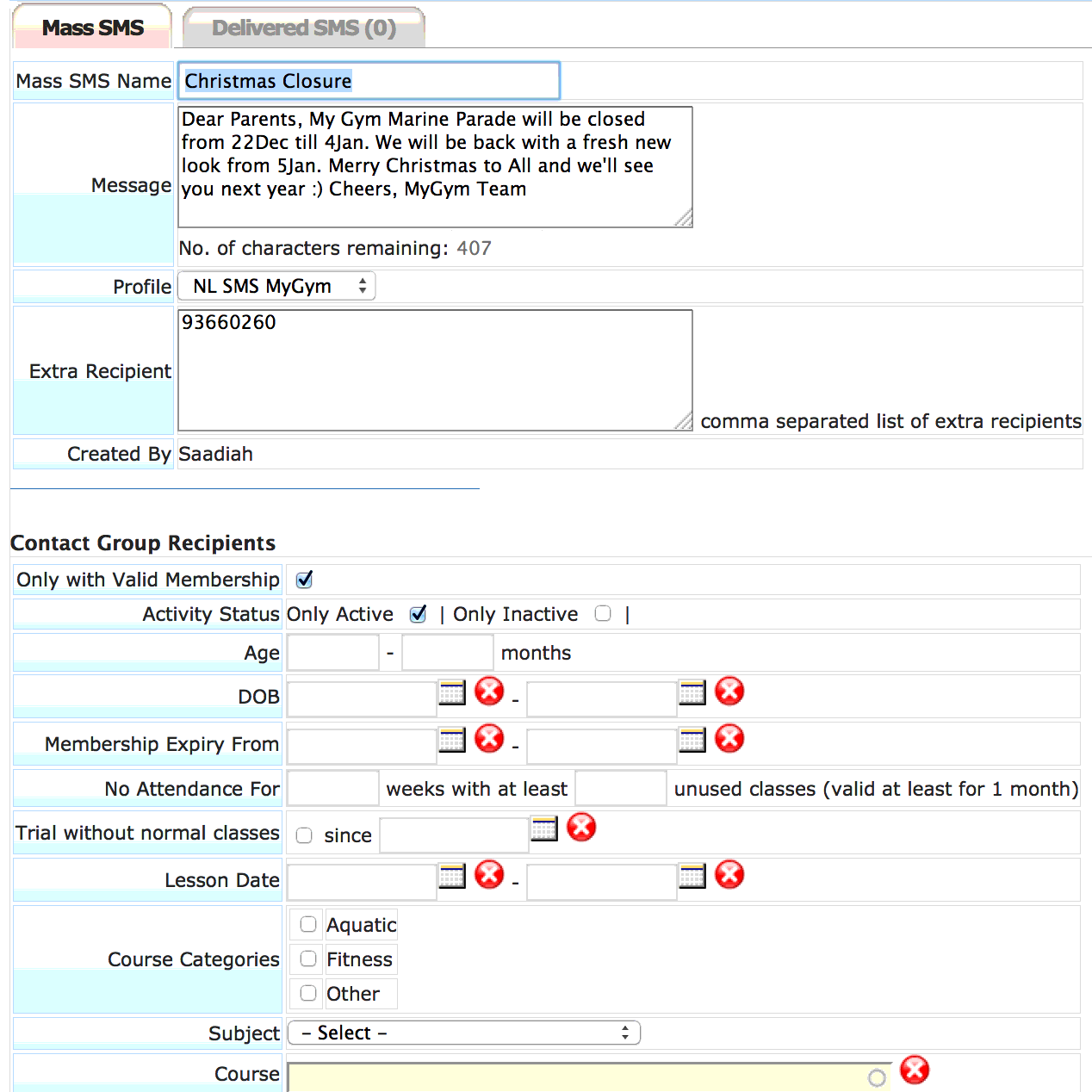
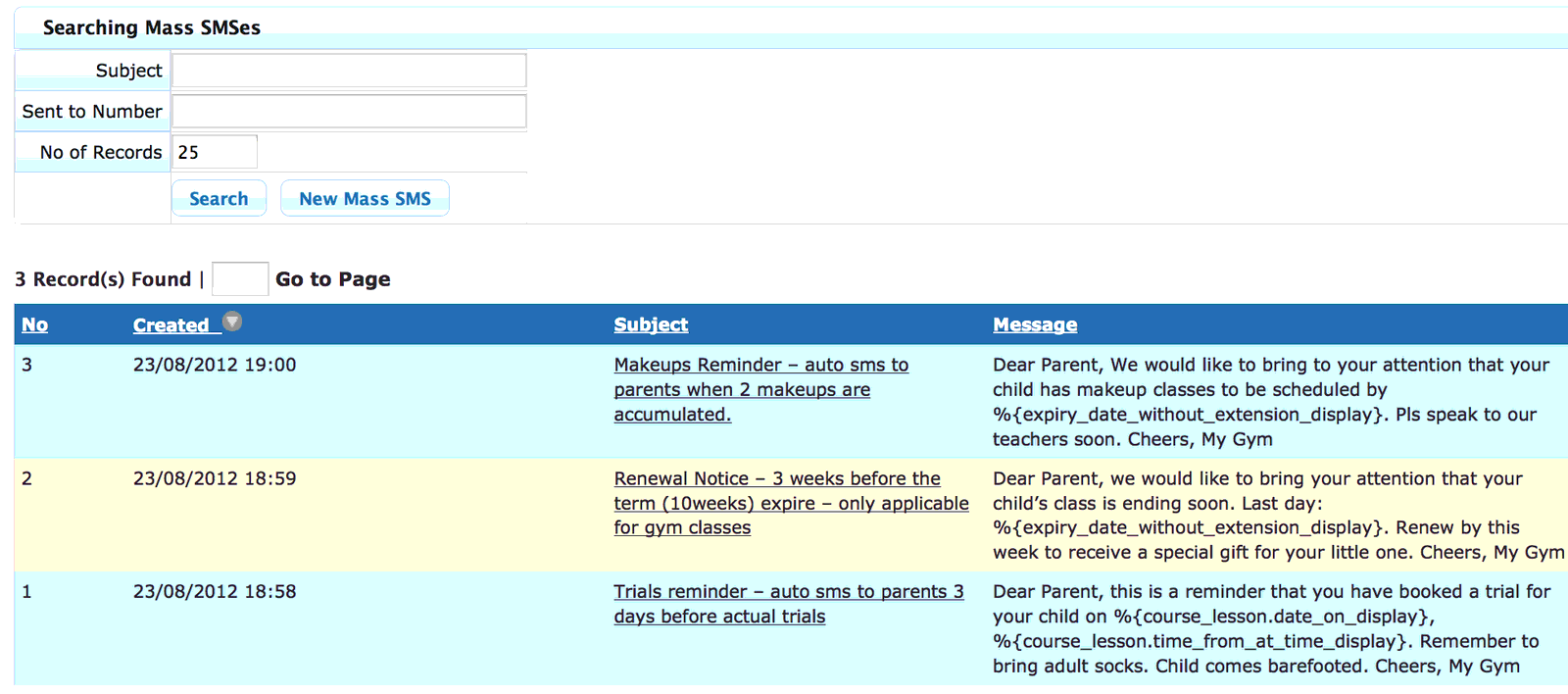
Communication tool to be used to blast important messages via SMS to members (reminders, alerts, promotions, etc.), parents or students can also reply the SMS, which is then stored in the system for reference and response management
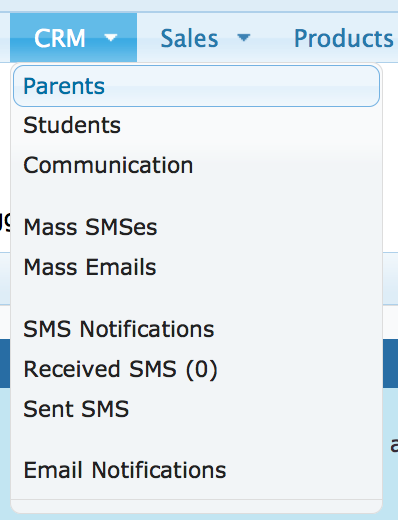
CRM Module Menu:
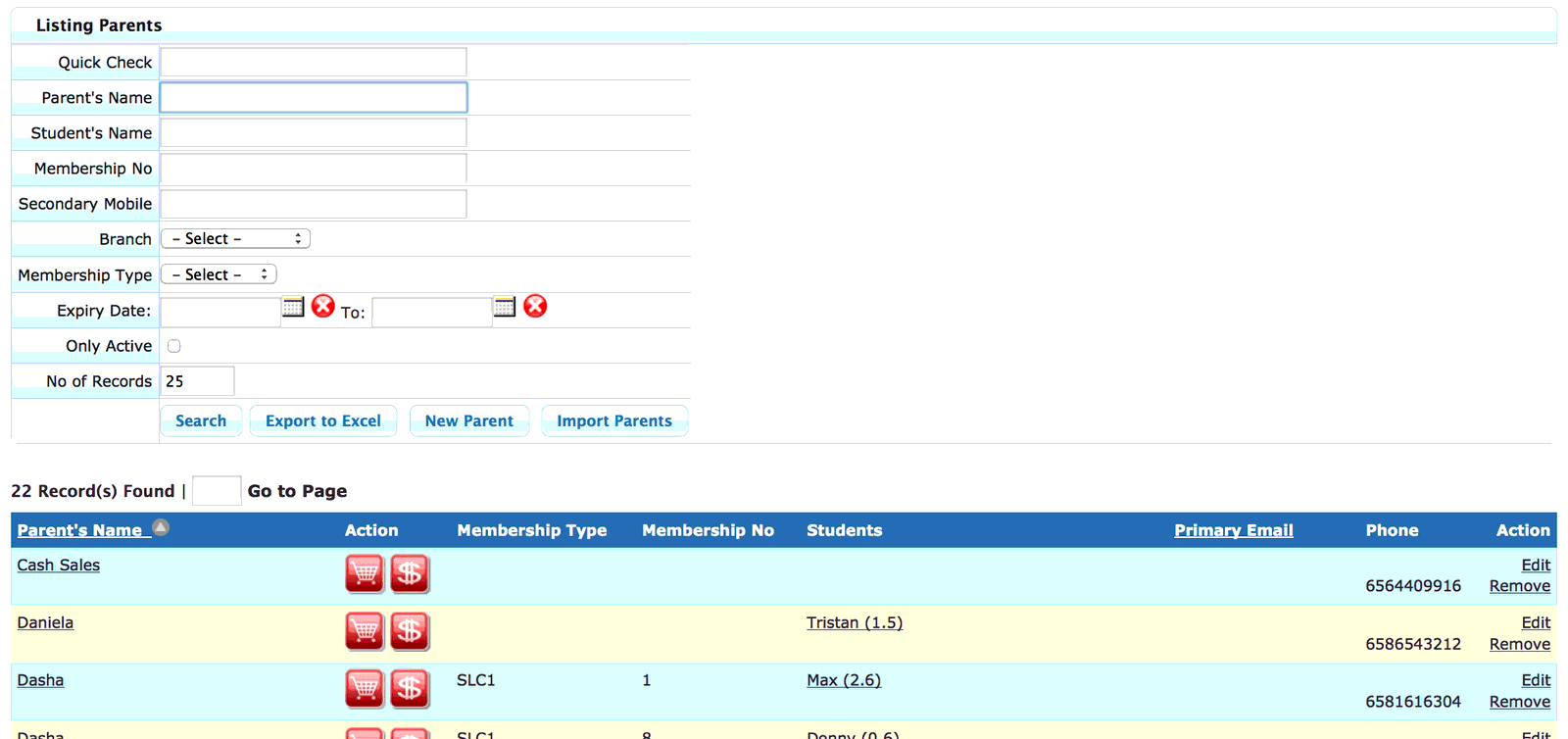
Parents Database – Summary Screen:
Parents Database – Detail Screen:
Students Database – Summary Screen:
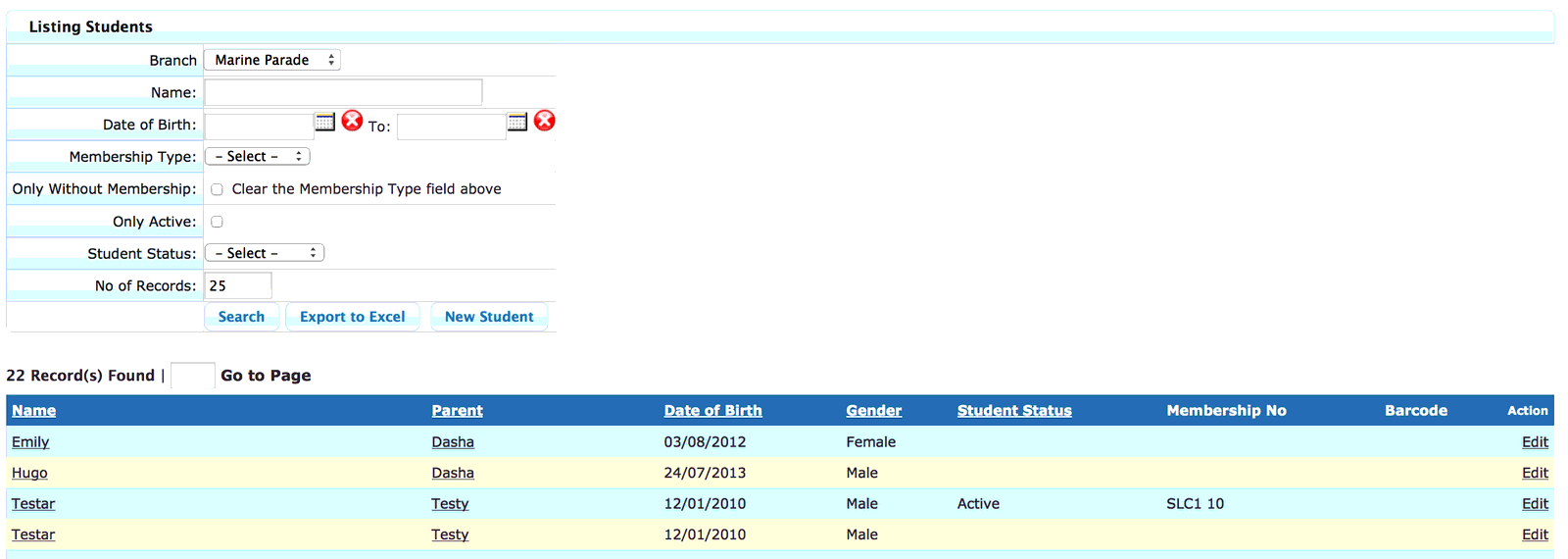
Multiple Students can belong to one parent:
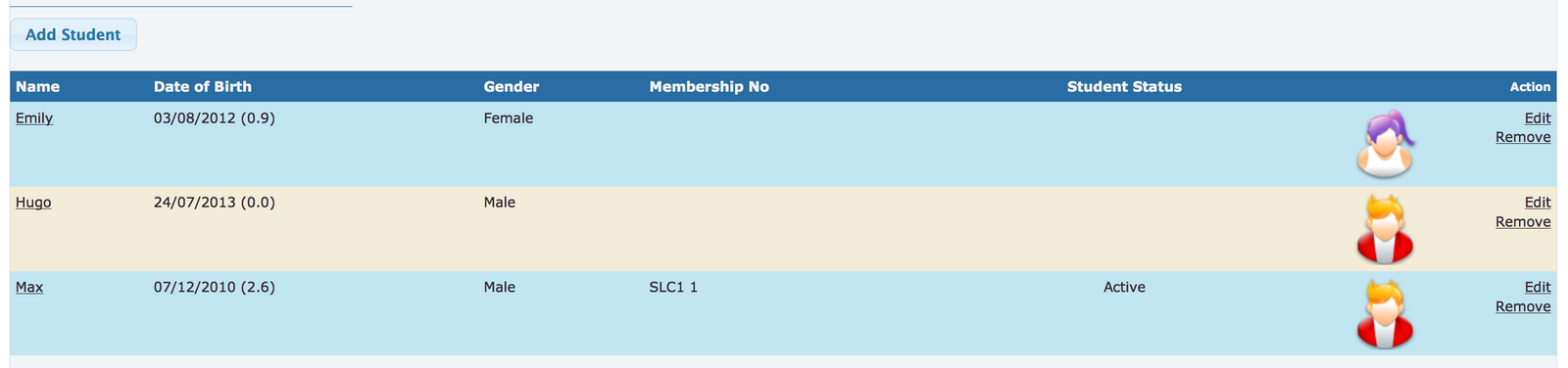
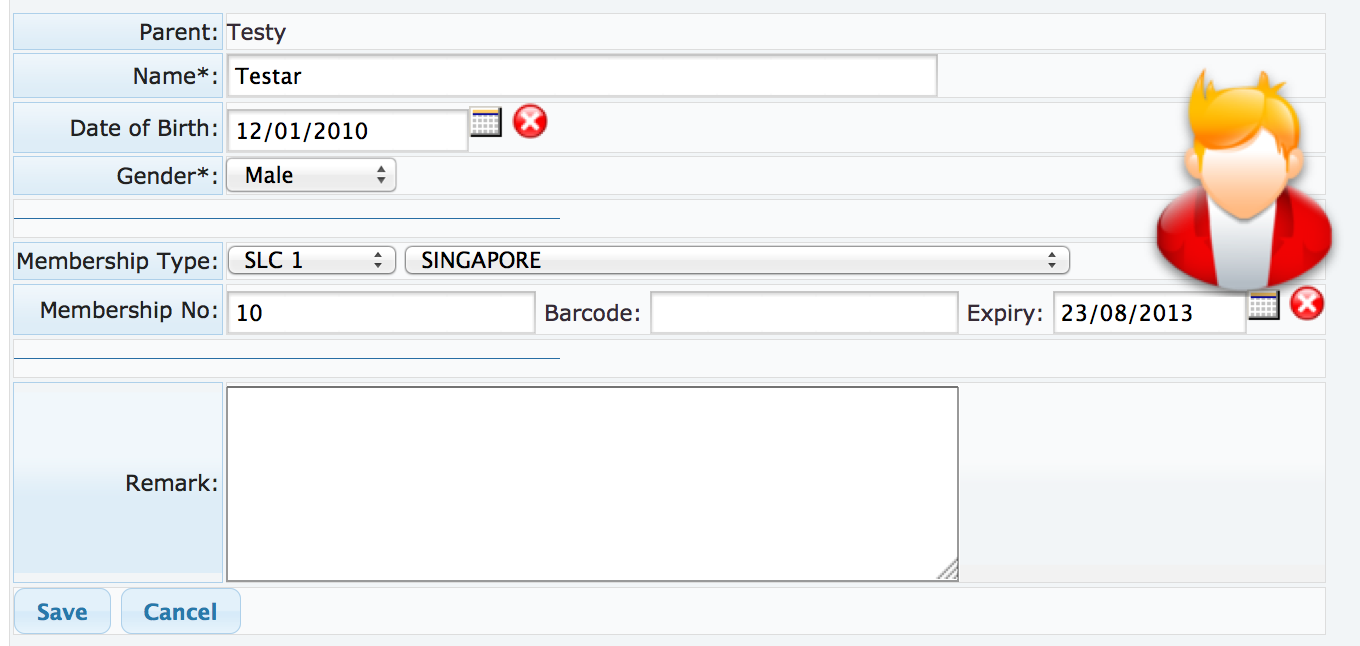
Student – Membership Info:
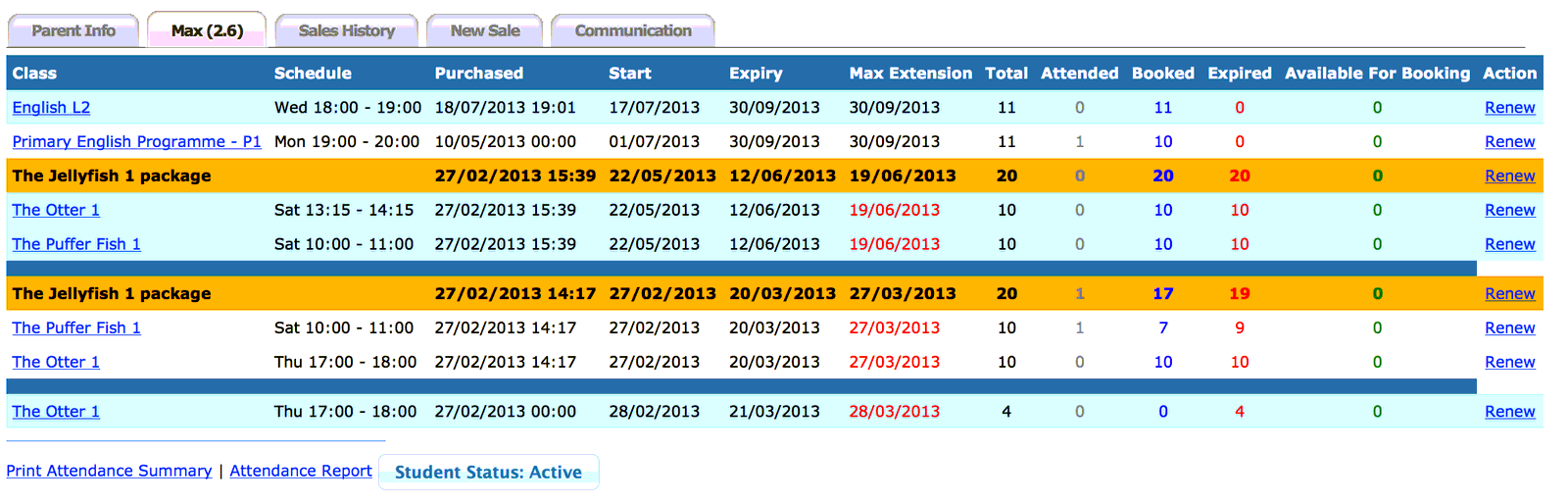
Student Detailed Info screen – history of all classes/courses attending/attended
Communication Summary Screen
Communication Detail Screen
Sample Mass SMS
Sample Mass Email
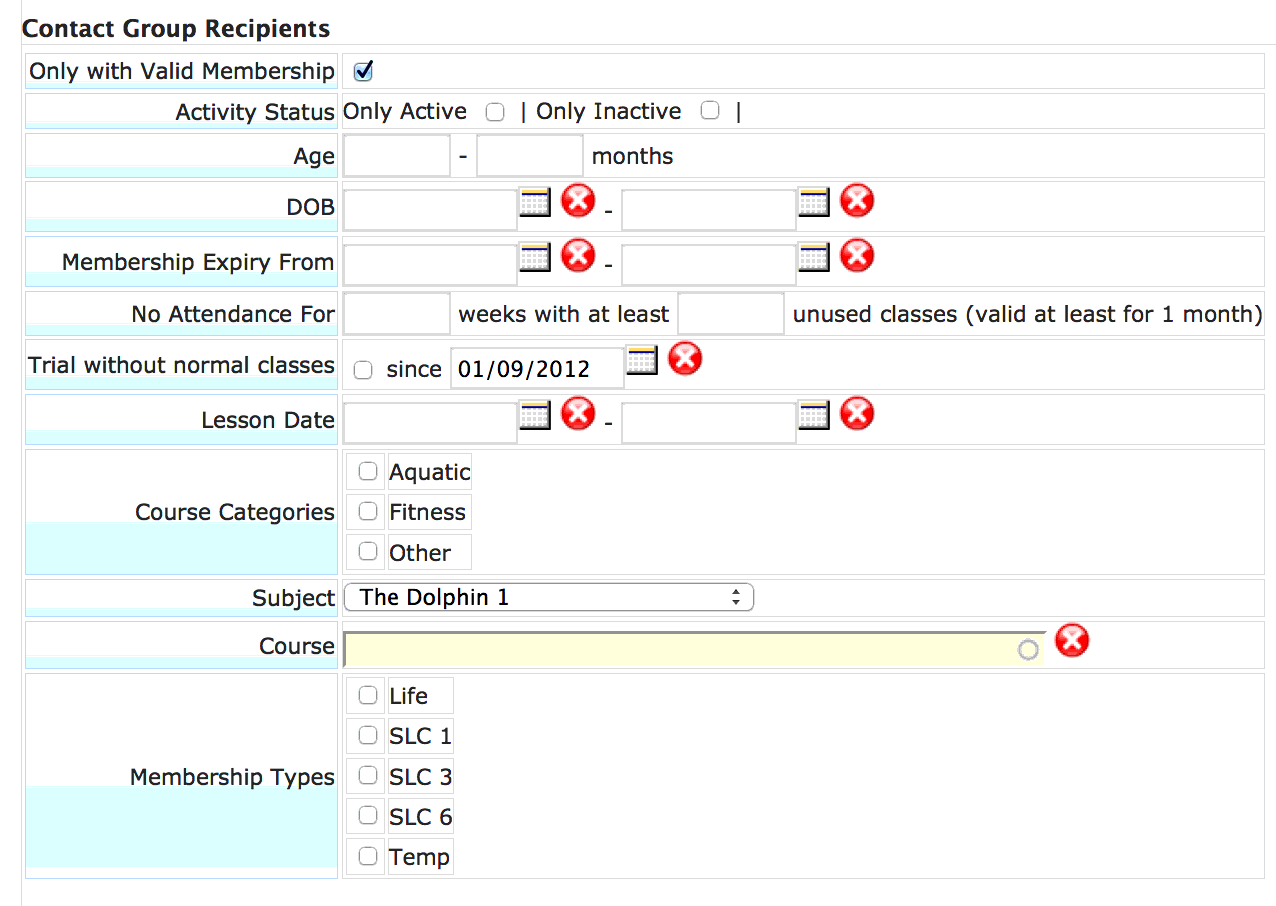
Example of Mass SMS/Email Filtering Criteria
SMS Notifications
Sample Email Notification
Need help with this?
Email our support team at support@nextlogic.com.sg with a screenshot of the screen in question.
All features & guides