Online Registration Forms
Prospects register for trial classes online, straight into your CRM and sales, with optional online payment.
Prospecting is no longer associated just with cold calling, road shows or mass emails, it has also shifted to an online domain and your school system should be able to reflect it. New prospective students should be literally floating in to you via various gateways through which your system is open to them. We all know where all prospective students or their parents are most of the time. ONLINE. The next logical step would be to open up those gateways so they can let you know that they might be interested in your services or products. And of course, you want to be able to collect those information in clean manner so you won’t need to work with multiple lists of prospects saved in various databases or in various Excel sheets and that’s where school system with one integrated CRM database comes in handy.
StudentLogic School Management System provides by default most common extensions to be used immediately for collection of prospective clients’ information into one back-end CRM database:
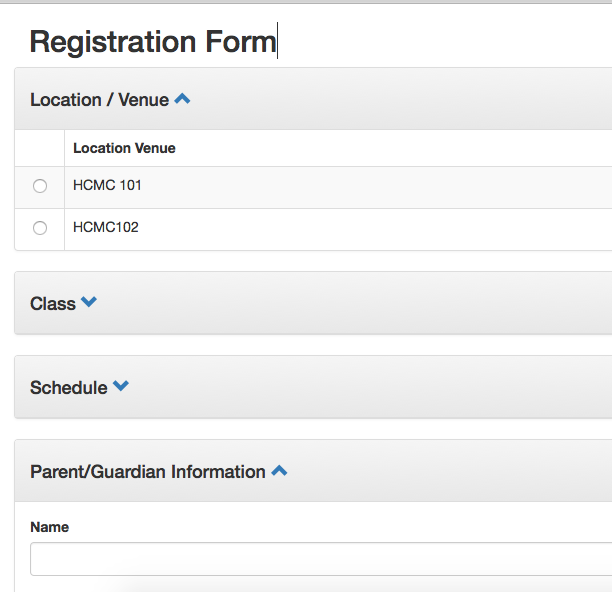
1. Online Registration Form for Trial – most enrichment, tuition or learning centers offer one time trial to effectively engage client for the first time. This form is a simple form with basic required contact and other information that allows parents or students to sign up online for the selected course, selected date and time and in selected branch. Form can be easily embedded into your website or your Facebook page or any other form of your web or online presence. Some clients choose to set up a computer with this link loaded on it by default at their premises and let prospects self-register themselves or via mobile/tablet app, which is also available. This form’s last step can also be integration with online payment gateway if your trial class is payable and you choose this option. Most importantly, this one registration step performed by your prospective client would auto create a record in your back-end CRM as well as pre-create a trial sale so you do not have to key it manually. Of course trial sale created can still be amended or updated as needed based on further interaction with client. Both your centre as well as your client would also receive an email acknowledgement about online registration. There are also validations in place to avoid duplicate registrations of the same individual.
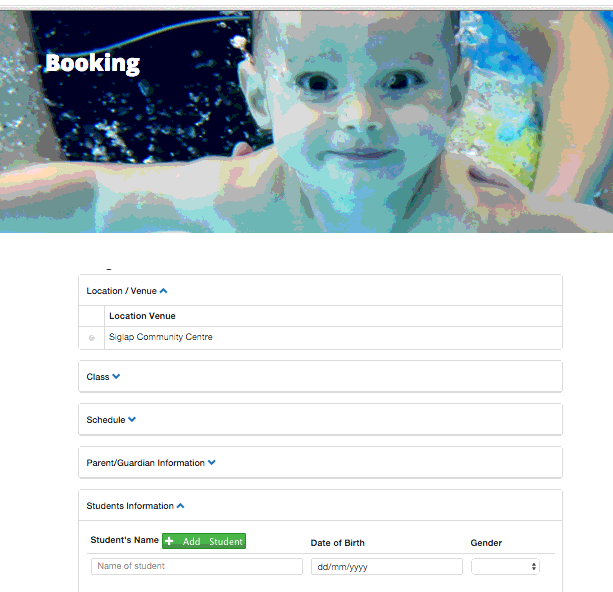
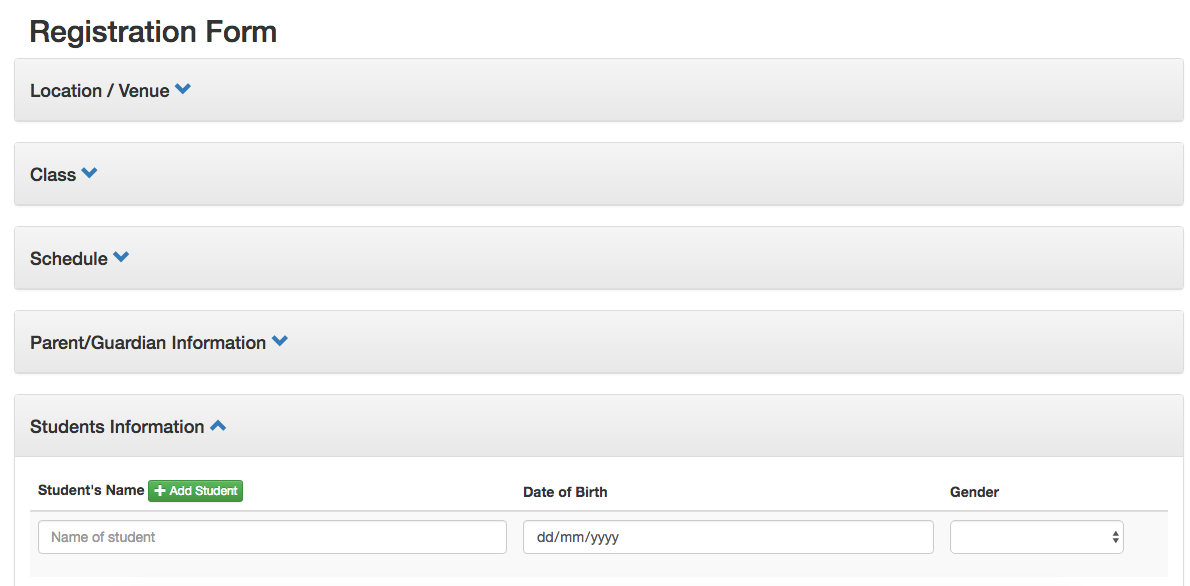
2. Online Registration Form (general) - if you just want to collect parent’s and student’s info but do not require them to select specific course or date and time for trial (maybe you do not offer trial at all), you can utilize our simplified form which only collects the basic CRM data into the school system and allows prospects to leave you comment/message, if applicable. You can then proceed to either finalize their registration by allowing them to sign your Terms & Conditions on tab/app or just process their registration in the system by selling them membership or package of their choice. This form can also be embedded into your website or Facebook page. You can choose to use it also as part of your client’s self-registration at the reception area when processing new sign-up or registering walk-in prospects.
Online registration form: to have or not to have?
Let me start by saying that I cannot imagine anymore that people register differently for classes than via Online Registration Form, well at least if they are like me. I don’t want to go down to the place and wait at the reception just to get my child into the trial class. I want to arrange it all before I even call there. Actually, I do not like to call anymore also as no one is usually picking up the phones. If there is a proper online system in place with updated info, you can get more done online than via phone these days.
So, having said that, I was very excited last year when we finally launched few versions of our online registration forms that are fully integrated with StudentLogic school management system. We try to keep it simple, it needs to do the job – register the new student for trial class so the school does not have to manually process the registration anymore and all the data about students and parents would be automatically in the system’s database together with the actual sale for trial class registration and ideally also integrated with payment gateway so the whole process will be finished in one action taken by parent online with full commitment.
To my very surprise, it’s been a challenge to explain the benefits and use of our online registration forms to our existing clients, maybe it’s a different culture in Singapore (as compared to some other countries where online registration forms are very popular), maybe it’s our forms (I still believe it’s not, they are awesome, simple, to the point and do the job) but they have not been so warmly received and implemented without hesitation as I was truly hoping they would be.
So, the best thing for us to do, is to educate all about the actual use and the benefits of the online registration form over and over again so here I come. Why ? Cause those who actually did implement our online registration form, are really benefiting from it and getting tons of online registrations as it’s so much easier to create various marketing funnels just by promoting that one little click on your website “Register Online” or “Book Now”.

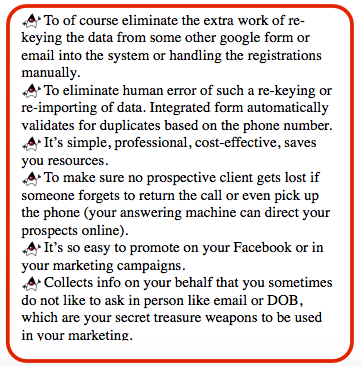
Let’s sum up main benefits of Simple Online Registration Form that is fully integrated with the back-end school management system:
So there are two options our clients can choose from. If they have an extra budget and want to go the fancy way, they can decide to build a custom made online registration form that is specifically done for them. Or the easier to start with option is to use what’s already available with the existing subscription and that’s one of our standard online registration forms = with or without course details.
The whole idea is that our forms are plain forms with most standard fields that need to be collected during the registration process and that form can be via iframe incorporated into existing website. So for prospective clients it’s a part of the normal website, while for us it means we are collecting all data directly into the back-end CRM and Sales module so not much extra work is required on the side of users. The form is meant to collect info about first time prospective clients, not for renewal or new purchases of existing clients, that’s a totally different story not covered here.
If all information about your locations, classes, timings is correct in the back-end of StudentLogic school management system, then you just have to decide which classes you want to show online and which you do not, so you have option to manipulate that from back-end. You can always just create a special trial slots of classes and display them online if you do not wish to show all classes or you can use the form without classes.
Let parents or students do the job or registering themselves. Offer special discount on first term sale for example if they register online. Save time and resources by allowing parents to do it online themselves at their own convenience.
All you need to do as a user is to make sure that the whole process is correctly set up in the back-end. For online registration form to work correctly, you need to:
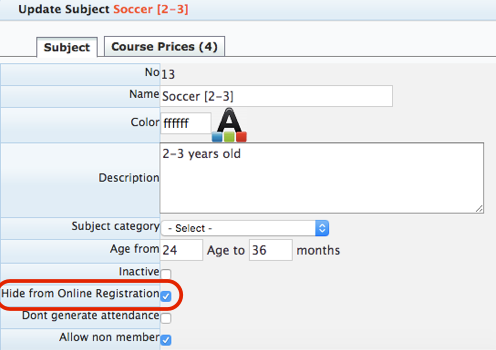
1. Make sure you hide courses you do not want to show online.
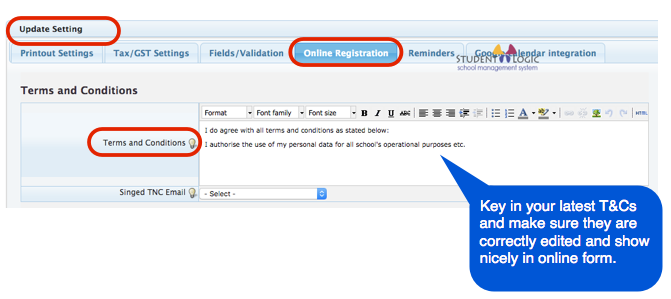
2. Enter your latest updated Terms & Conditions under Admin/Settings/Online Registration/Terms & Conditions.
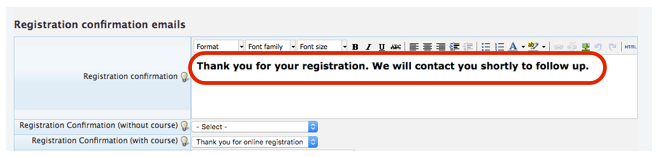
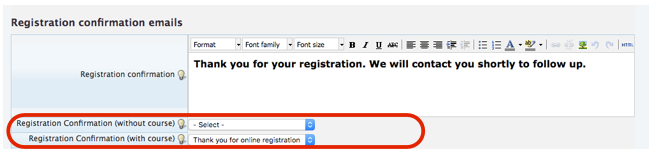
3. Define your Thank you page under Admin/Settings/Online Registration/Registration Confirmation. This is the last page your prospects would see when registering online.
4. Define Registration Confirmation email notification under CRM/Notifications/Notifications and link it correctly under Admin/Settings/Online Registration/Registration Confirmation Email.
First define the email notification and make sure you add your own email address as extra recipient to receive a copy of each successful online registration.
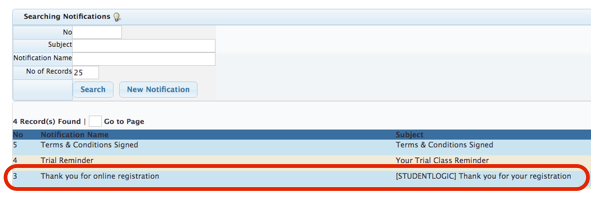
Then link it to your Online Registration.
5. Provide us with your Paypal email address for integration with Paypal integration (if, applicable/optional).
Now you can check how your online registration process will look like for parents online. You can contact us if you have forgotten your online registration form link. Our demo form is available at https://apps3.nextlogic.net/student_logic/slp_reg2/#/course
Below is an example of the form already filled in by the parent right before submission.
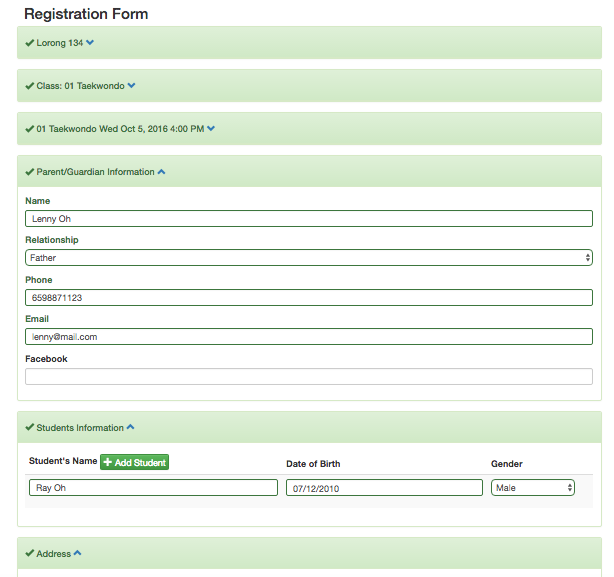
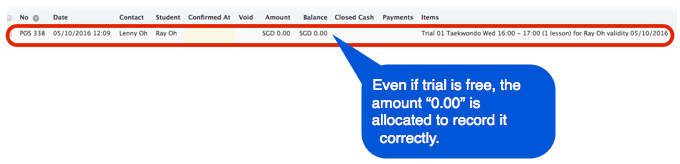
Once the submission is successful, you and parent will received Confirmation email (the one you pre-defined in the back-end) and trial sale is created in the system. The sale is not confirmed so you can still update it if needed. You can do any follow up required to make sure that this sale will be realised.
Need help with this?
Email our support team at support@nextlogic.com.sg with a screenshot of the screen in question.
All features & guides